Knowledge base upload
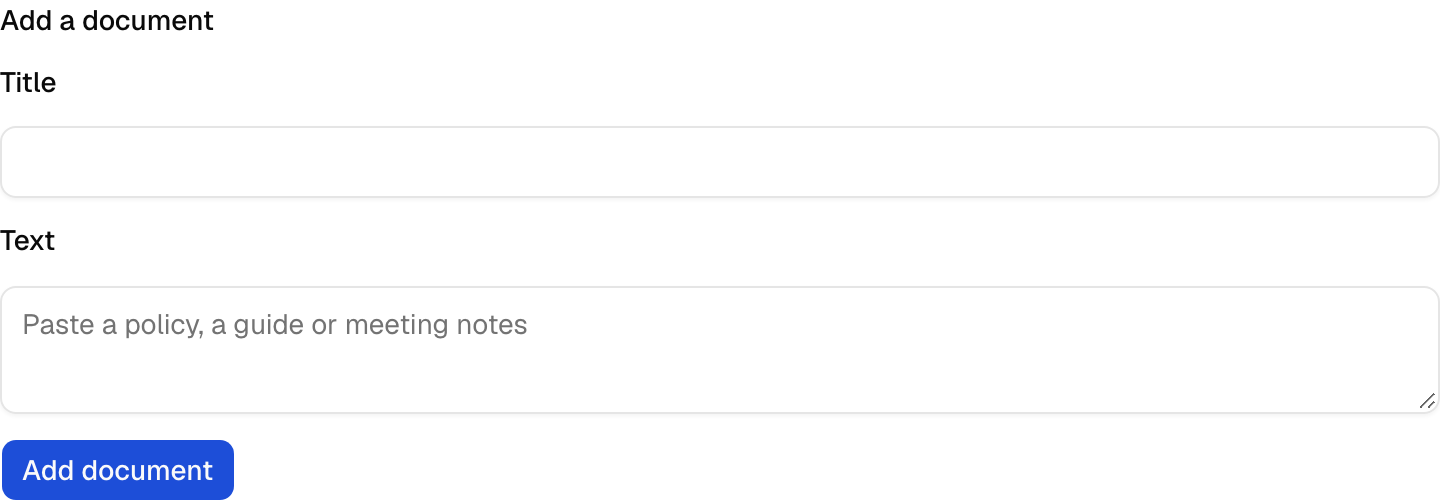
A form that adds a document to the knowledge base, which chunks and embeds it for search. It loads its data on the server through the block's client.
Add the components
terminal npx shadcn add button field input textareaInstall the glue
Install the block with
npx better-supabase add knowledge. The glue items are copied into your app, so edit them as you need.None: the page calls the block's client on the server.
Write the component
React and shadcn
View in the exampleadd-document-form.tsx "use client"; import { useActionForm } from "better-supabase/react"; import { useExtracted } from "next-intl"; import { useId } from "react"; import { Button } from "@/components/ui/button"; import { Field, FieldError, FieldLabel } from "@/components/ui/field"; import { Input } from "@/components/ui/input"; import { Textarea } from "@/components/ui/textarea"; import { useErrorMessage } from "@/lib/use-error-message"; import { addDocument } from "../knowledge-actions"; export function AddDocumentForm() { const t = useExtracted("knowledge"); const fieldId = useId(); const errorMessage = useErrorMessage(); const form = useActionForm(addDocument); const error = form.error === undefined ? null : errorMessage(form.error); return ( <form {...form.formProps} className="space-y-3"> <Field> <FieldLabel htmlFor={`${fieldId}-title`}>{t("Title")}</FieldLabel> <Input id={`${fieldId}-title`} name="title" required maxLength={200} /> </Field> <Field data-invalid={error ? true : undefined}> <FieldLabel htmlFor={`${fieldId}-text`}>{t("Text")}</FieldLabel> <Textarea id={`${fieldId}-text`} name="text" placeholder={t("Paste a policy, a guide or meeting notes")} required maxLength={100_000} rows={6} /> {error ? <FieldError>{error}</FieldError> : null} </Field> <Button type="submit" size="sm" disabled={form.pending}> {t("Add document")} </Button> </form> ); }