Ship a CRM, helpdesk or ERP on Supabase with 184 blocks of SQL you own, over your own tables, and a typed client on top.
Pick a preset, or add one block over a table you already have. Each block renders tables, policies and functions into your repository, and the CLI types them for you.
How it works
Your tables, a few tags, SQL from blocks, a typed client
Nothing sits between you and the database. Every step produces files you can read, and each one works without the others.
Presets
Start from a product, not an empty schema
A preset is a named set of blocks with the conventions they share. It installs what it needs and what those require, and you change it afterwards like any other config.
Blocks
Every feature is a block of SQL you own
184 blocks in 16 categories: tables, policies, functions and a typed client for each. They install into your schema, so you read and change them like the rest of your code.
- Identity & access9Sign-in, MFA, sessions, SSO, grants and access requests: who a user is and what they may do.
- Tenancy & accounts11Tenants, organizations, teams, profiles, settings and workspace URLs.
- Collaboration12Comments, reactions, attachments and share links on any record.
- Notifications & messaging4In-app notifications, push and a shared inbox with threads.
- Growth & engagement5Onboarding checklists, waitlists, announcements and feature flags.
- CRM & sales12Parties, engagements, deals, quotes and targets.
- Work management25Work items, pipelines, state machines, approvals, SLAs, tags, custom fields, saved views and search.
- People13Employees, hiring and time tracking.
- Billing & commerce27Billing, entitlements, usage, invoices, a product catalog, inventory, orders and promotions.
- Scheduling5Calendars, bookings and reminders.
- Content & files9Documents, a drive, forms, signatures, templates, versions, trash and imports.
- AI12Chat, files, knowledge, memory, agents, background tasks, providers and vector search.
- Automation12Workflows and their builder, jobs, the outbox, streams and connectors.
- Developer platform9API keys, webhooks, service principals, signing keys, credentials and rate limits.
- Admin & compliance6The audit log, data export and deletion, metrics and support sessions.
- Database primitives13RLS checks, pgTAP, JSON schemas, number sequences, ranks, read sets and realtime tables.
Adopt it gradually
Use it on the app you already have, one rung at a time
Every rung is optional, independent and reversible, and doctor reports the rung of each table. Stop on any step.
Before and after
The parts every product shares, written once
The work that is yours stays yours: your tables, your product rules and your screens.
Recipes
Build the UI from your own components
Each recipe pairs a block with shadcn components on the web, and with React Native where it fits a phone, copied from example apps that typecheck and run.
- Notification bellA header button with the unread count, which updates when a notification arrives or is read.useNotificationsWeb and nativecomponent
- Notification listThe caller's latest notifications with an unread marker, loaded again on every change.useNotificationsWeb and nativecomponent
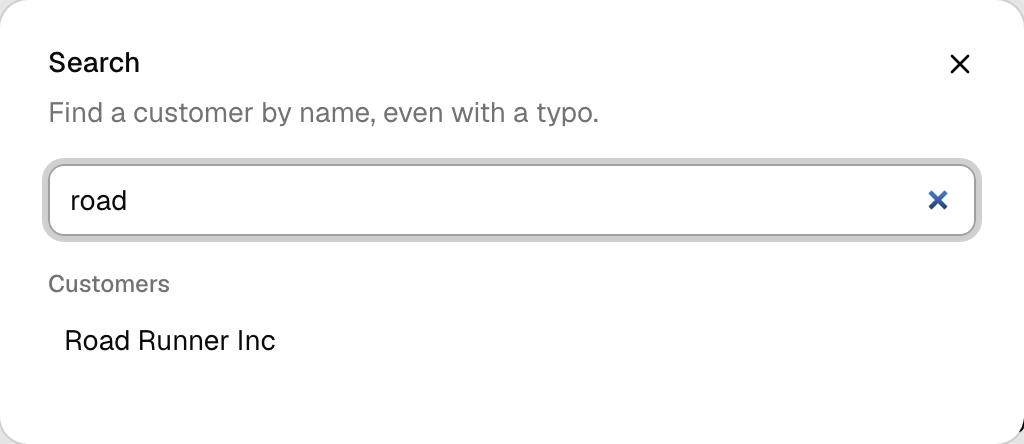
- Command searchA search dialog over the search index, with favorites and recents before the user types.useCommandSearchWeb and nativecomponent
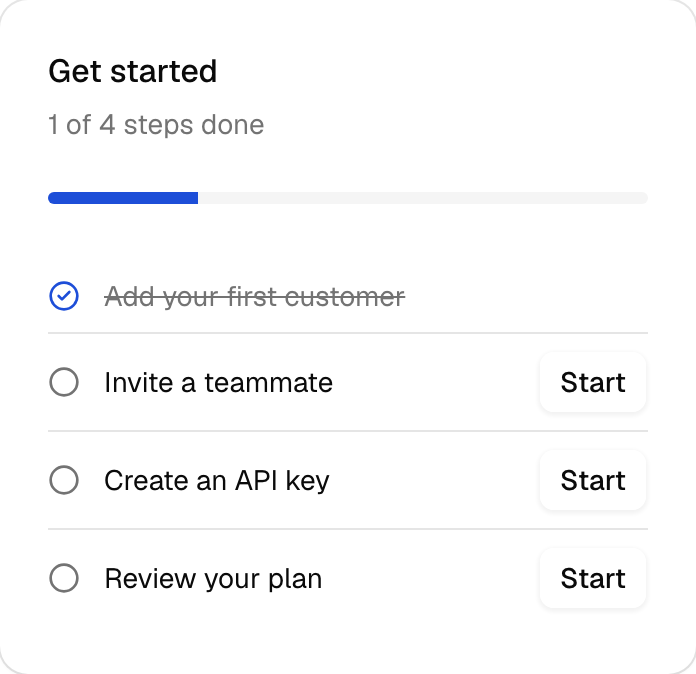
- Onboarding checklistThe organization's getting-started steps with progress, hidden once every step is done.useOnboardingWeb and nativecomponent
The typed layer
The glue code every Supabase app rewrites, done once
Under the blocks sits the library: generated types, a typed repository, auth wiring, cache invalidation and adapters for your framework.
For coding agents
The same CLI, safe to hand to an agent
Agents read the catalog, run doctor and write migrations through the commands you use. Anything that writes files or touches data waits for the user's consent.
Frameworks
Works where your code runs
Adapters build a per-request client for the caller, so the same repository API works in pages, routes, procedures and functions. Runtime entries import no Node built-ins, so they run on every WinterTC runtime.
18 frameworks, 7 frontend libraries, 5 runtimes and 13 integrations
Server frameworks
Frontend and mobile
Get started
From install to typed queries in four steps
- 01Installpnpm add better-supabase @supabase/supabase-js
- 02Initbetter-supabase init writes the config, the client and framework glue.
- 03Generatebetter-supabase gen reads your local stack and writes typed models.
- 04Queryconnect() per request with the user’s client, so RLS always applies.
FAQ
Questions
Start from a product and keep the SQL
Pick a preset, or add one block over a table you have. Keep supabase-js for everything else.