AI task queue
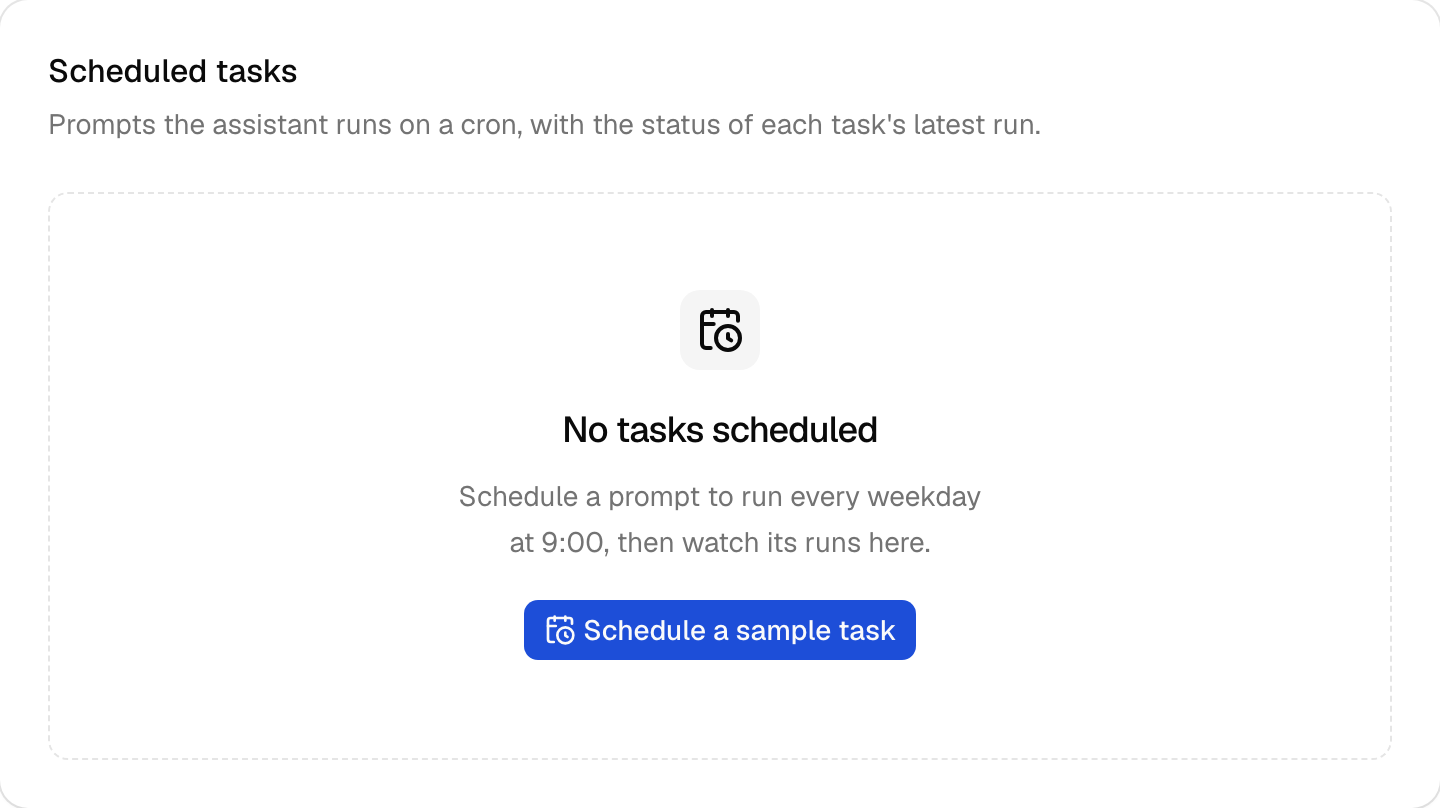
A table of scheduled AI prompts with each task's next run and latest run status, plus pause and resume. It loads its data on the server through the block's client.
Add the components
terminal npx shadcn add alert badge button card empty skeleton tableInstall the glue
Install the block with
npx better-supabase add ai-tasks. The glue items are copied into your app, so edit them as you need.None: the page calls the block's client on the server.
Write the component
React and shadcn
View in the exampleai-task-queue.tsx "use client"; import type { AiTaskRunStatus } from "better-supabase/blocks/ai-tasks"; import { useAction } from "better-supabase/react"; import { CalendarClockIcon, PauseIcon, PlayIcon } from "lucide-react"; import { useExtracted, useFormatter } from "next-intl"; import { useTransition } from "react"; import { toast } from "sonner"; import { Alert, AlertAction, AlertDescription, AlertTitle, } from "@/components/reui/alert"; import { Badge } from "@/components/reui/badge"; import { Button } from "@/components/ui/button"; import { Card, CardAction, CardContent, CardDescription, CardHeader, CardTitle, } from "@/components/ui/card"; import { Empty, EmptyContent, EmptyDescription, EmptyHeader, EmptyMedia, EmptyTitle, } from "@/components/ui/empty"; import { Skeleton } from "@/components/ui/skeleton"; import { Table, TableBody, TableCell, TableHead, TableHeader, TableRow, } from "@/components/ui/table"; import { useRouter } from "@/i18n/navigation"; import { useErrorMessage } from "@/lib/use-error-message"; import type { AiTaskRow, AiTasksRead } from "../ai-task-queries"; import { scheduleSampleTask, setAiTaskEnabled } from "../ai-task-actions"; function RunStatusBadge({ status }: { status: AiTaskRunStatus | undefined }) { const t = useExtracted("aiTasks"); switch (status) { case undefined: { return <Badge variant="outline">{t("Not run yet")}</Badge>; } case "queued": { return <Badge variant="info-light">{t("Queued")}</Badge>; } case "running": { return <Badge variant="primary-light">{t("Running")}</Badge>; } case "completed": { return <Badge variant="success-light">{t("Completed")}</Badge>; } case "failed": { return <Badge variant="destructive-light">{t("Failed")}</Badge>; } default: { const unknown: never = status; return unknown; } } } function ScheduleSampleButton({ variant }: { variant: "default" | "outline" }) { const t = useExtracted("aiTasks"); const errorMessage = useErrorMessage(); const schedule = useAction(scheduleSampleTask, { onError: (error) => { toast.error(errorMessage(error)); }, }); return ( <Button type="button" size="sm" variant={variant} disabled={schedule.pending} onClick={() => { void schedule.run({}); }} > <CalendarClockIcon /> {t("Schedule a sample task")} </Button> ); } function TaskRows({ tasks }: { tasks: readonly AiTaskRow[] }) { const t = useExtracted("aiTasks"); const format = useFormatter(); const errorMessage = useErrorMessage(); const toggle = useAction(setAiTaskEnabled, { onError: (error) => { toast.error(errorMessage(error)); }, }); const when = (iso: string) => format.dateTime(new Date(iso), { dateStyle: "medium", timeStyle: "short" }); return ( <Table data-testid="ai-tasks"> <TableHeader> <TableRow> <TableHead>{t("Task")}</TableHead> <TableHead className="hidden md:table-cell"> {t("Schedule")} </TableHead> <TableHead>{t("Next run")}</TableHead> <TableHead>{t("Last run")}</TableHead> <TableHead> <span className="sr-only">{t("Actions")}</span> </TableHead> </TableRow> </TableHeader> <TableBody> {tasks.map((task) => ( <TableRow key={task.id}> <TableCell className="max-w-72"> <div className="flex flex-col gap-0.5"> <span className="truncate font-medium">{task.title}</span> <span className="truncate text-xs text-muted-foreground"> {task.prompt} </span> </div> </TableCell> <TableCell className="hidden md:table-cell"> <div className="flex flex-col gap-0.5"> <span className="font-mono text-xs">{task.cron}</span> <span className="text-xs text-muted-foreground"> {task.timezone} </span> </div> </TableCell> <TableCell className="whitespace-nowrap tabular-nums"> {task.enabled ? ( task.nextRunAt ? ( when(task.nextRunAt) ) : ( <span className="text-muted-foreground"> {t("On the next tick")} </span> ) ) : ( <Badge variant="secondary">{t("Paused")}</Badge> )} </TableCell> <TableCell> <div className="flex flex-col items-start gap-0.5"> <RunStatusBadge status={task.lastRun?.status} /> {task.lastRun?.error ? ( <span className="max-w-48 truncate text-xs text-muted-foreground"> {task.lastRun.error} </span> ) : null} </div> </TableCell> <TableCell className="text-right"> <Button type="button" variant="ghost" size="icon-sm" disabled={toggle.pendingInputs.some( (input) => input.id === task.id, )} aria-label={ task.enabled ? t("Pause {title}", { title: task.title }) : t("Resume {title}", { title: task.title }) } onClick={() => { void toggle.run({ id: task.id, enabled: !task.enabled }); }} > {task.enabled ? <PauseIcon /> : <PlayIcon />} </Button> </TableCell> </TableRow> ))} </TableBody> </Table> ); } /** * The caller's scheduled AI tasks, read on the server through * `aiTasks.list`, with each task's next occurrence and its latest run. * An admin with `ai.admin` sees every task in the organization. */ export function AiTaskQueue({ read }: { read: AiTasksRead }) { const t = useExtracted("aiTasks"); const errorMessage = useErrorMessage(); const router = useRouter(); const [retrying, startRetry] = useTransition(); const hasTasks = read.ok && read.tasks.length > 0; return ( <Card data-recipe="ai-task-queue"> <CardHeader> <CardTitle>{t("Scheduled tasks")}</CardTitle> <CardDescription> {t( "Prompts the assistant runs on a cron, with the status of each task's latest run.", )} </CardDescription> {hasTasks ? ( <CardAction> <ScheduleSampleButton variant="outline" /> </CardAction> ) : null} </CardHeader> <CardContent> {read.ok ? ( read.tasks.length === 0 ? ( <Empty className="border" data-testid="ai-tasks-empty"> <EmptyHeader> <EmptyMedia variant="icon"> <CalendarClockIcon /> </EmptyMedia> <EmptyTitle>{t("No tasks scheduled")}</EmptyTitle> <EmptyDescription> {t( "Schedule a prompt to run every weekday at 9:00, then watch its runs here.", )} </EmptyDescription> </EmptyHeader> <EmptyContent> <ScheduleSampleButton variant="default" /> </EmptyContent> </Empty> ) : ( <TaskRows tasks={read.tasks} /> ) ) : ( <Alert variant="destructive"> <AlertTitle>{t("The tasks didn't load")}</AlertTitle> <AlertDescription>{errorMessage(read.error)}</AlertDescription> <AlertAction> <Button type="button" size="sm" variant="outline" disabled={retrying} onClick={() => { startRetry(() => { router.refresh(); }); }} > {t("Retry")} </Button> </AlertAction> </Alert> )} </CardContent> </Card> ); } const SKELETON_ROWS = ["first", "second", "third"]; export function AiTaskQueueSkeleton() { return ( <Card aria-busy="true"> <CardHeader> <Skeleton className="h-5 w-40" /> <Skeleton className="h-4 w-72" /> </CardHeader> <CardContent className="flex flex-col gap-2"> {SKELETON_ROWS.map((row) => ( <Skeleton key={row} className="h-11 w-full" /> ))} </CardContent> </Card> ); }